















FriendCrib Mag
Glitter Graphics and Sparkly Everything
Glitter graphics were the sparkly animated images people stuck on MySpace profiles in the 2000s. You can still bring a little back.
 Written by Daniel Rivera · 56k: ~2 min
You opened your profile and the comment box twinkled back at you, a pink HAPPY FRIDAY from a friend you hadn't seen all week. Glitter graphics were sparkly animated images people posted on profiles and in comments during the 2000s. They said "Happy Friday!" or "Thanks for the add!" or just a friend's name in shimmering pink letters. If you had a profile back then, you sent dozens and got dozens back, and your page probably took a moment to finish twinkling.
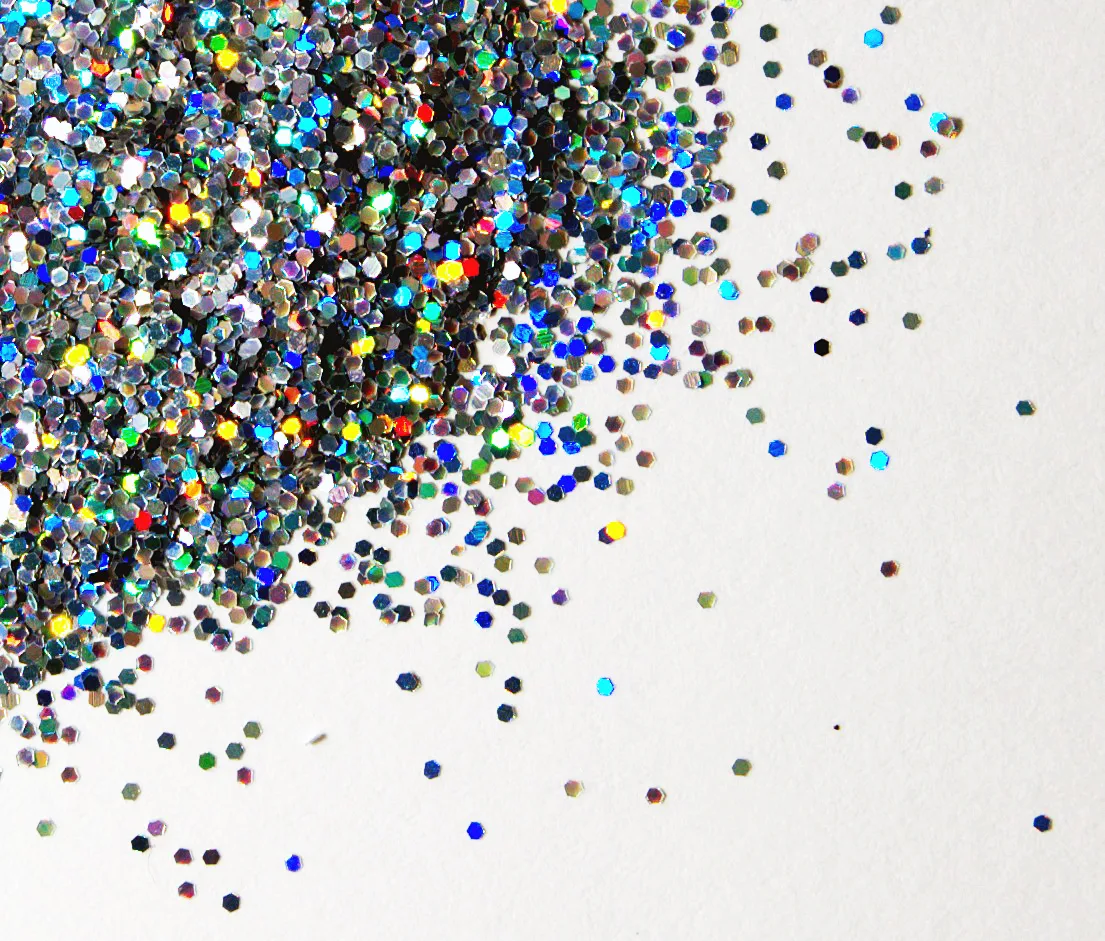
What did glitter graphics look like?
They looked like tiny moving sparkles, usually pink, purple, silver or gold. Hearts and stars twinkled. Little animated animals held signs. Backgrounds shimmered so hard you couldn't look at them for long.
Most were blurry and oversized and slow to load. Nobody minded, because people were supposed to notice them.
How people made them
Most glitter graphics came from websites where you typed a word, chose a sparkle style and got a code to paste. You'd copy it, drop it into someone's comments or your own About Me, and hit post. Some sites had huge libraries sorted by weekday, by holiday and by mood.
People also made their own name graphics for the top of their profile. Your name in silver glitter felt like a neon sign on your front door.
The comment rituals
Glitter graphics had their own calendar.
- Monday: something sympathetic about Mondays
- Friday: a burst of celebration, often with a dancing animal
- Birthdays: the biggest, sparkliest cake anyone could find
- Holidays: snowflakes in December, hearts in February, pumpkins in October
- Any random day: "Just stopping by to say hi!"
Getting one meant a friend thought of you. Sending one back was basically required.
A look back at how MySpace took over the 2000s, glitter included. Watch on YouTube
Why everyone loved them
Glitter graphics were easy and friendly, and very loud. You didn't have to write anything thoughtful to show up on a friend's page and say you cared. For people who weren't confident writers, they were a way to join in without worrying about words.
They also made pages feel alive. A wall of sparkling comments made a profile look like a party, and visitors could tell this person had friends who stopped by.
Glitter as a love language
For some friend groups, glitter was how you said what felt too big to type. Picture a sparkling "best friends forever" after a fight, a twinkling "miss you" when someone moved away or a shimmering "congrats!!" when a friend got a license. The words were simple and the sparkle carried the feeling.
Moms and aunts got into it too. Plenty of people remember the first glitter graphic from a relative and the mild horror of seeing it on their page for everyone to read.
The people who hated them
Some people found glitter graphics loud and messy, and said so in their About Me: "please no glitter comments." A page full of them could take ages on a slow connection, and a few computers wheezed under all that animation at once.
There was a whole style of profile built around the opposite: clean and dark and very much glitter free. Those people were always a little proud of it.
How much glitter was too much?
Glitter text was a skill. Too much and your page became unreadable. Too little and it didn't count. Good profiles used it like seasoning: a sparkling name at the top, one shimmering quote, a few graphics from friends in the comments.
The worst ones used it like paint. Everyone remembers at least one page where the background and the text and every image sparkled at the same time, and you had to look away after a few seconds.
Glitter outside the profile
The sparkle spread everywhere. People put glitter text in email signatures and blog headers, and in forum signatures until moderators begged them to stop (more on that in message boards). Phone wallpapers sparkled. Birthday party invitations sparkled. Some school projects had a glittering title someone found online the night before.
The day-of-the-week folder
If you were really committed, you had a folder of graphics for every day. Monday got a sleepy cartoon cat. Wednesday got "Hump Day!" in purple. Thursday was always a little forgotten. Then Friday came, and every friend's page lit up with the same few dancing graphics, and nobody minded seeing them again.
Losing that folder when the family computer died was a real loss. People hoarded their favorites on the desktop or in a bookmarked page of codes to copy, and few of those folders survived.
What happened to glitter graphics?
As social sites moved toward clean, uniform designs, there was nowhere left to put glitter. Profiles stopped being customizable. Comments got shorter, and pictures moved into feeds. Animated GIFs came back later as reaction images, but the shimmering name headers and "Happy Friday!" graphics mostly faded.
Some people never stopped loving them. Search around and you'll still find fans collecting and sharing the old styles.
Can you bring glitter back?
You can, and on FriendCrib you can do it without wrecking your page. The Glitter Queen layout gives you a pink, sparkly look to start from. Old-school HTML works in your About Me, so you can add color and scrolling text, and the blog toolbar has a sparkle button for when a word deserves it.
Friends can also give you stickers, which show up on your crib if you choose to display them. That is the modern cousin of a glitter comment, and just as easy to give. For the rest of your page, the 16 things everyone had on their profile in 2006 make a decent checklist.
If you go full sparkle, keep your words readable. Pick a solid box color behind your text and save the shimmer for your name and a favorite spot or two. Your friends' eyes will thank you. Then pick a layout and see how much sparkle you can handle.
Take the quiz: What's Your Crib Theme? »
Your Memories
Nobody has shared one yet. Be the first.
Make a free crib or sign in to add yours.
You Might Also Remember





Add a little sparkle to your own crib on FriendCrib.
Free, 18+ and no algorithm. Pick a profile song, rank your Top 8 and leave your friends comments.
Get Your Crib, It's Free